Administrative Procedures / Complaints
Printing the Enrollment Certificate
Instructions for obtaining the digital enrollment certificate via the student digital learning platform:
– The student must first verify their UM IT account at
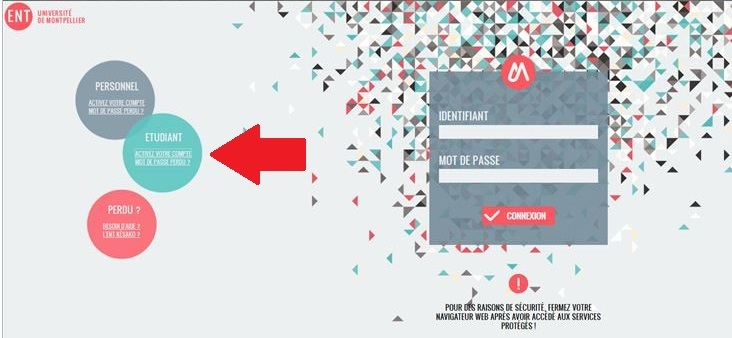
– access the digital campus (ENT) at
– click on the “My File, Academic Transcript” icon, Results, Administrative Records” (available in the “Academic Records” tab)
– then click on “Registration”; there, you’ll find a “Certificate of Enrollment” button that allows you to download the certificate of enrollment for the current academic year in PDF format.
Student ID Card Replacement (Lost or Stolen)
Be sure to check the lost and found office on the ground floor of Building 7 first.
If it isn’t there, you can request a renewal of your CMS: on your ENT / “My Studies” tab / CMS Web.
You will be required to pay 6 euros online by credit card.
You can then pick up your student ID card at the Mitra center on the second floor of Building 36, bringing your enrollment certificate and proof of order, during the following hours: Monday through Friday from 9:00 a.m. to 11:30 a.m. and from 1:00 p.m. to 4:30 p.m.
Access to Moodle
The instructor for the course “TU ” can grant you access to Moodle. You should contact the instructor for the course “TU ” or the course coordinator for “TU.”
I need to have some documents related to my education translated
The University of Montpellier does not offer a translation service for official documents (transcripts, degree completion certificates, diplomas, etc.).
These documents may only be translated by a certified translator.
You can obtain a list of certified translators from your local city hall or the court of appeals in your area.
I can't activate my ENT
Here you will find information on how to activate your ENT.